GitLab CI - ArgoCD authentication
This is an example of how to create a JWT token in ArgoCD and use it in GitLab CI to deploy applications in ArgoCD.
For more information about authentication in ArgoCD, see ArgoCD documentation.
1.Requirements
Fully functional implementation of Zone
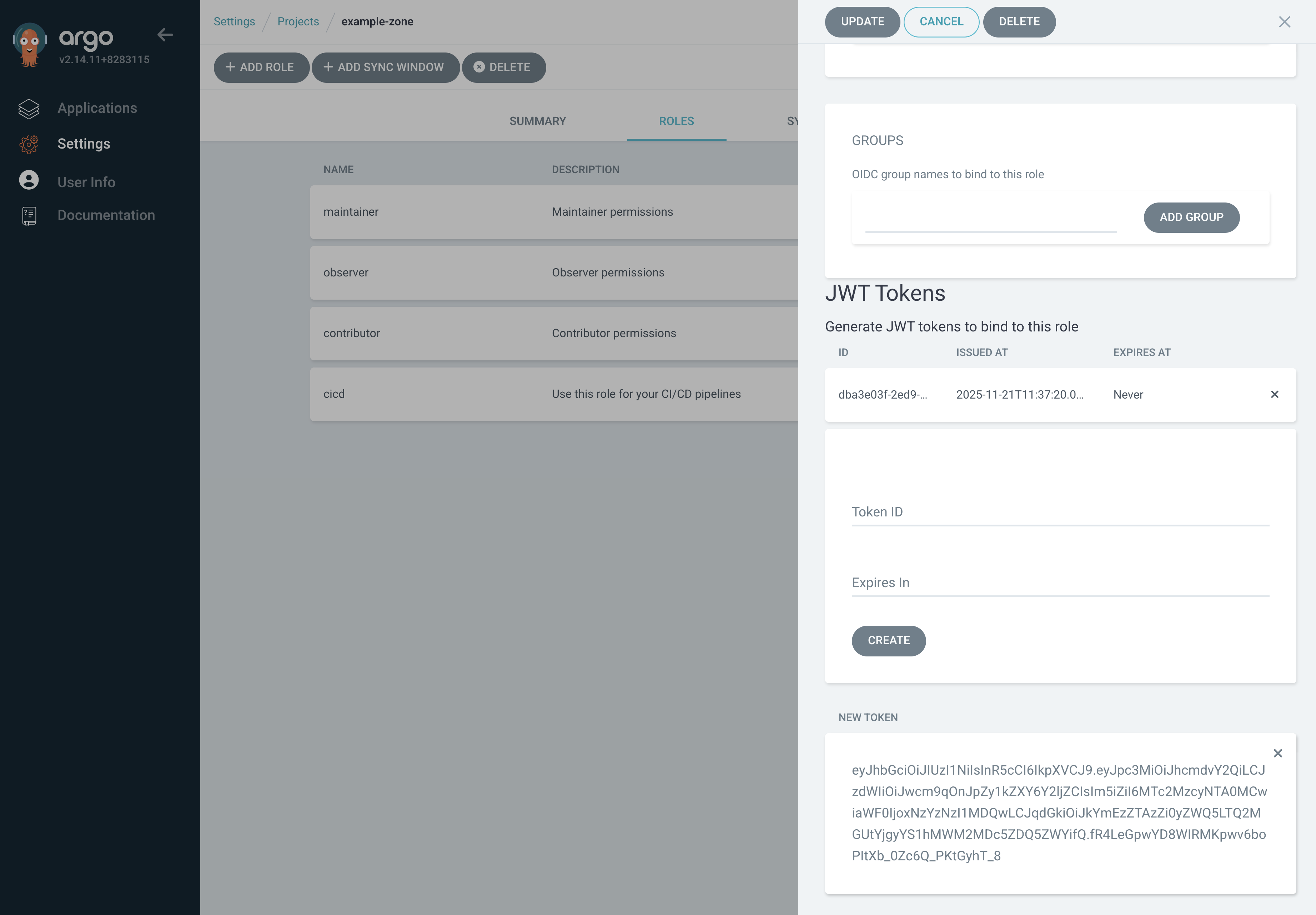
2. Create a JWT token in ArgoCD
Settings -> Projects -> <project-name> -> Roles -> cicd -> Create (under JWT Tokens)
Copy the token value.
3. Create a secret in GitLab using the token
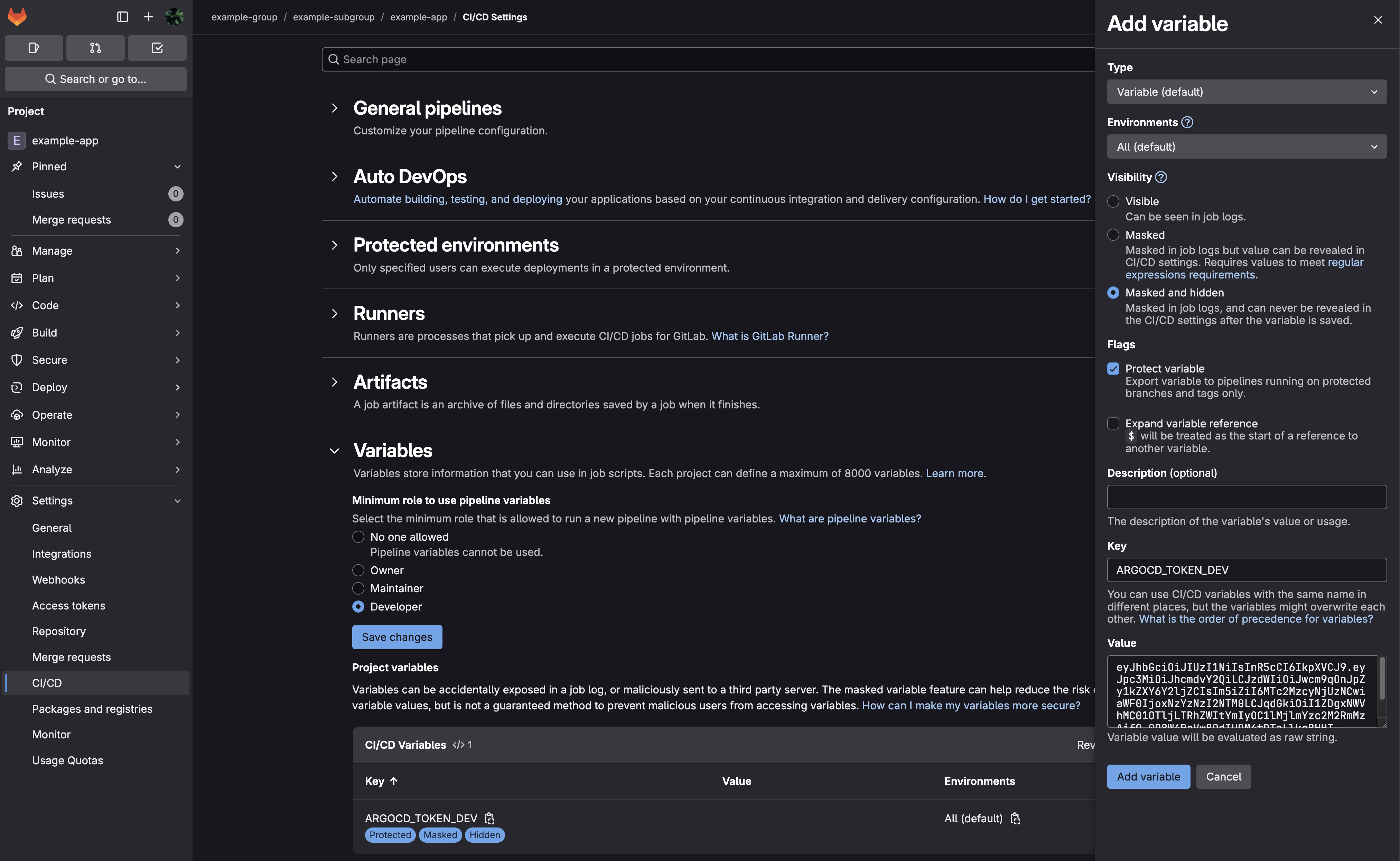
Settings -> CI/CD -> Variables -> Add variable
Type: Variable
Visibility: Masked and hidden
Flags: Protect variable
Key: ARGOCD_TOKEN_<ENV>
Value: <token-value>
Click Add variable
4. Create a GitLab CI pipeline and use the token
# .gitlab-ci.yml

variables:
  ARGOCD_HOST_DEV: argocd.dev.example.com
  KUBERNETES_NAMESPACE: example-namespace

workflow:
  rules:
    - when: always

stages:
  - requirements
  - build
  - deploy

requirements-variables:
  stage: requirements
  script: |
    ...

requirements-helm:
  stage: requirements
  script: |
    ...

requirements-docker:
  stage: requirements
  script: |
    ...

build-image:
  stage: build
  script: |
    ...

build-chart:
  stage: build
  script: |
    ...

dev:
  stage: deploy
  variables:
    ARGOCD_TOKEN: ${ARGOCD_TOKEN_DEV}
    ARGOCD_HOST: ${ARGOCD_HOST_DEV}
  extends: .deploy
  needs:
    - job: requirements-variables
    - job: build-image
      optional: true
    - job: build-chart

.deploy:
  script: |
    ...
    APP_NAME=example-app
    argocd --server "${ARGOCD_HOST}" --auth-token="${ARGOCD_TOKEN}" app get --refresh ${KUBERNETES_NAMESPACE}/$APP_NAME
    argocd --server "${ARGOCD_HOST}" --auth-token="${ARGOCD_TOKEN}" app diff --exit-code=false ${KUBERNETES_NAMESPACE}/$APP_NAME
    argocd --server "${ARGOCD_HOST}" --auth-token="${ARGOCD_TOKEN}" app sync ${KUBERNETES_NAMESPACE}/$APP_NAME
    argocd --server "${ARGOCD_HOST}" --auth-token="${ARGOCD_TOKEN}" app wait --timeout 300 --health --sync --operation ${KUBERNETES_NAMESPACE}/$APP_NAME