Create a secret
This is an example of how to create a secret in AWS Secrets Manager and access it in a Kubernetes cluster using External Secrets.
It is a good practice to encrypt secrets using kms/config key which is created by the Infralib KMS module.
For more information about AWS Secrets Manager, see AWS Secrets Manager User Guide.
For more information about External Secrets, see External Secrets User Guide.
For more information about Secrets in Kubernetes, see Kubernetes documentation.
1. Create a secret in AWS Secrets Manager
Secrets can be created using AWS Console or AWS CLI.
1.1 Create a secret in AWS Console
# Example secret data
EXAMPLE_USERNAME=admin
EXAMPLE_PASSWORD=verySecret123
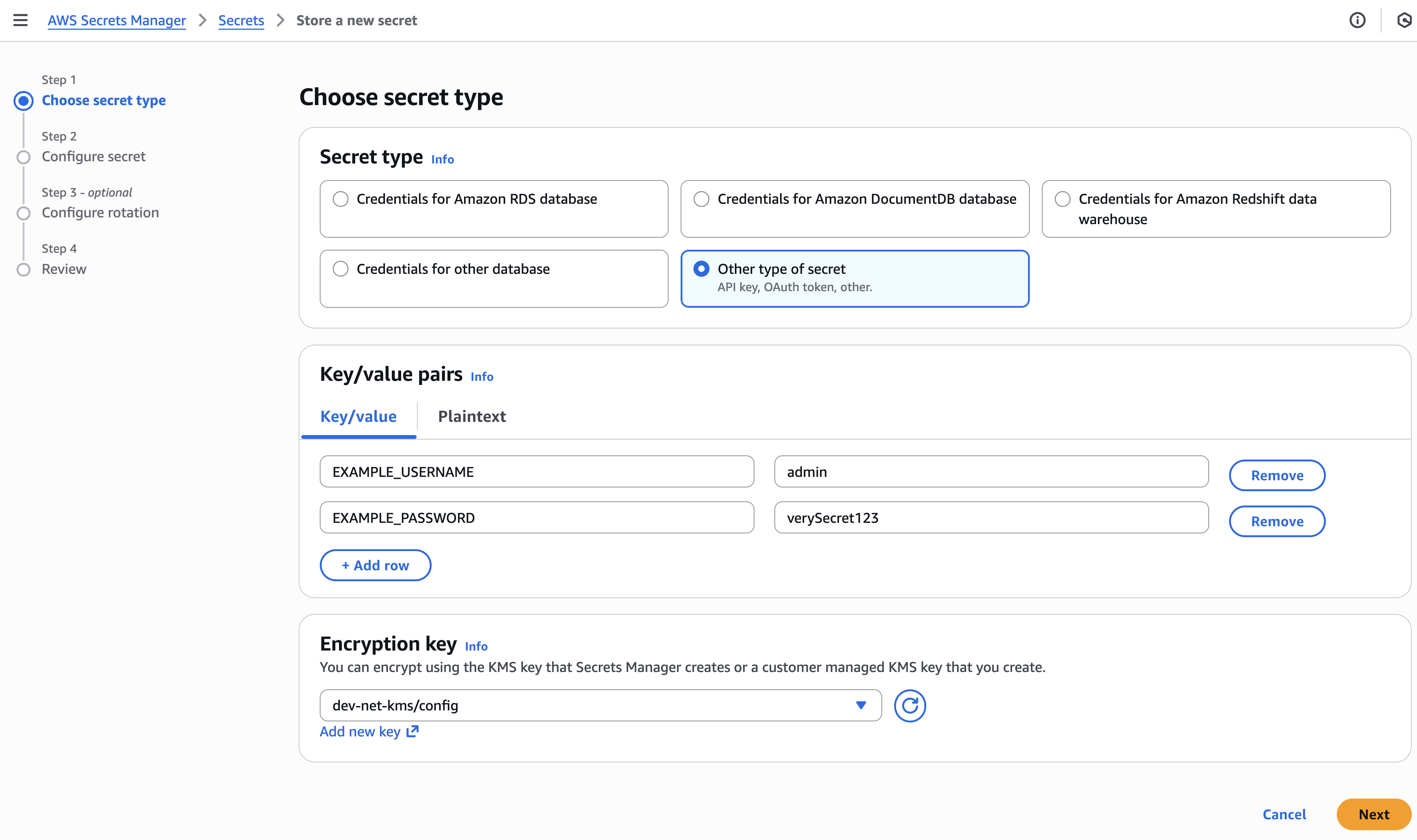
Secrets Manager -> Store a new secret
Select Other type of secret
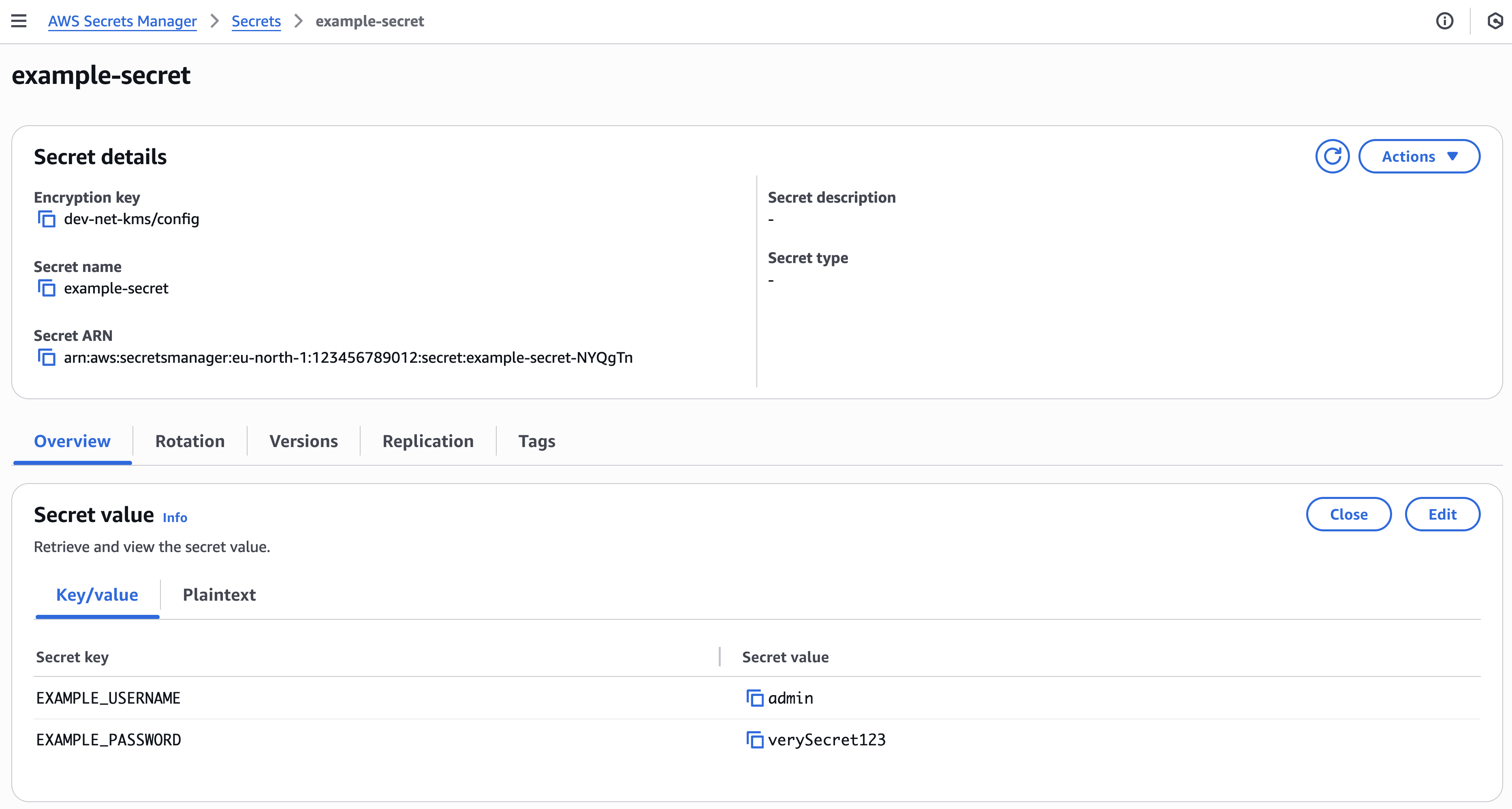
Fill Key/value pairs and choose Encryption key.
It is recommended to use kms/config key created by the Infralib KMS module.
Click Next
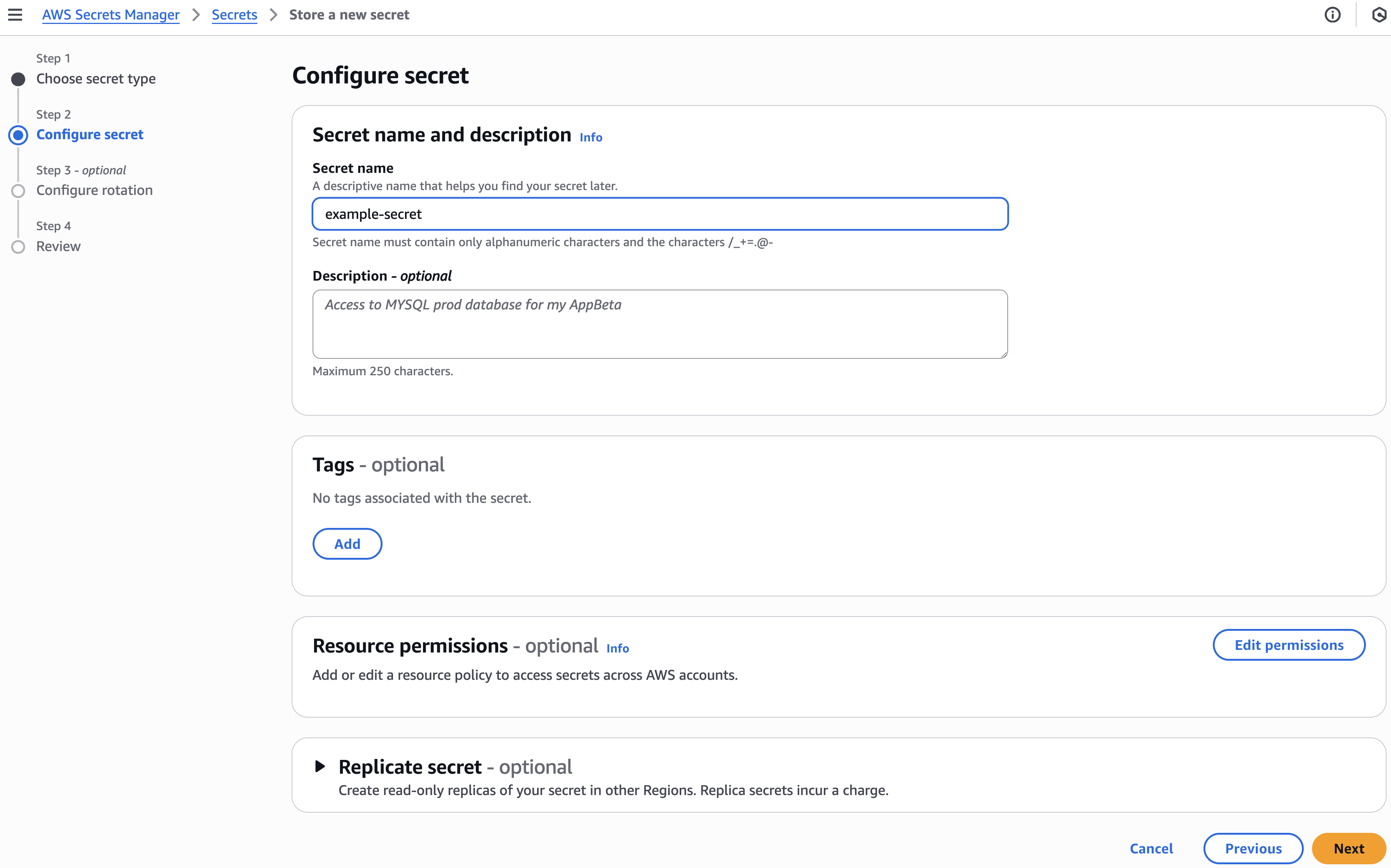
Set desired Secret name
Click Next
Verify secret exists in AWS Secrets Manager.
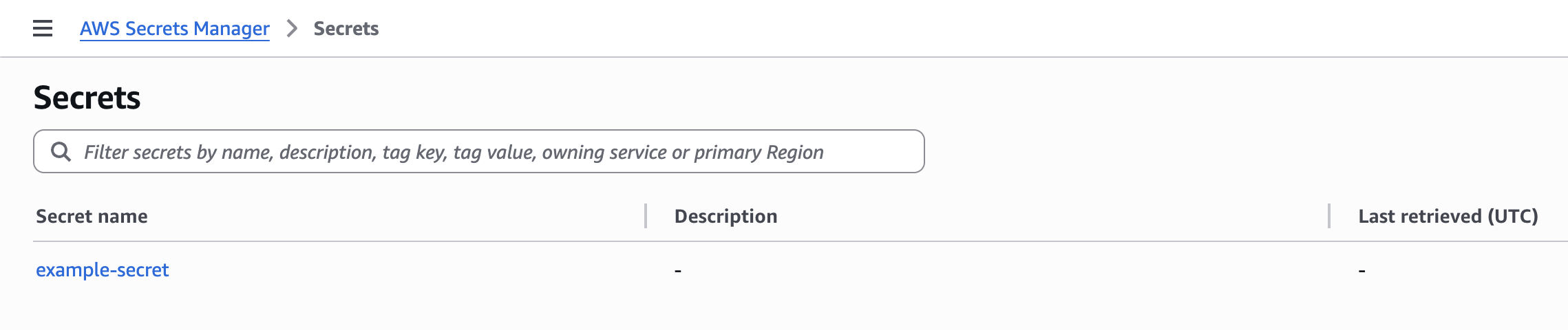
Existing secrets can be viewed and edited in AWS Console.
1.2 Create a secret in AWS CLI
aws secretsmanager create-secret \
 --name example-secret \
 --secret-string '{"EXAMPLE_USERNAME":"admin","EXAMPLE_PASSWORD":"verySecret123"}' \
 --kms-key-id alias/dev-net-kms/config
2. Access a secret in a Kubernetes cluster with External Secrets
Secrets can be accessed in Kubernetes via ClusterSecretStore and SecretStore.
By default, a ClusterSecretStore is created by the Infralib external-secrets module.
The list of available stores can be viewed with the following command:
# Example output
$ kubectl get SecretStores,ClusterSecretStores --all-namespaces
NAMESPACE   NAME                                                          AGE   STATUS   CAPABILITIES   READY
            clustersecretstore.external-secrets.io/external-secrets       1h    Valid    ReadWrite      True
Create an External Secret manifest and deploy it to the cluster. It is a good practice to include it in the application's Helm chart.
# Example ExternalSecret manifest to access a secret using ClusterSecretStore
apiVersion: external-secrets.io/v1
kind: ExternalSecret
metadata:
  name: example-secret
  annotations:
    argocd.argoproj.io/sync-wave: '-2'
spec:
  refreshInterval: 5m
  dataFrom:
    - extract:
        key: example-secret # AWS Secrets Manager secret
  secretStoreRef:
    kind: ClusterSecretStore
    name: external-secrets
  target:
    name: example-secret # Kubernetes Secret to create
    creationPolicy: Owner
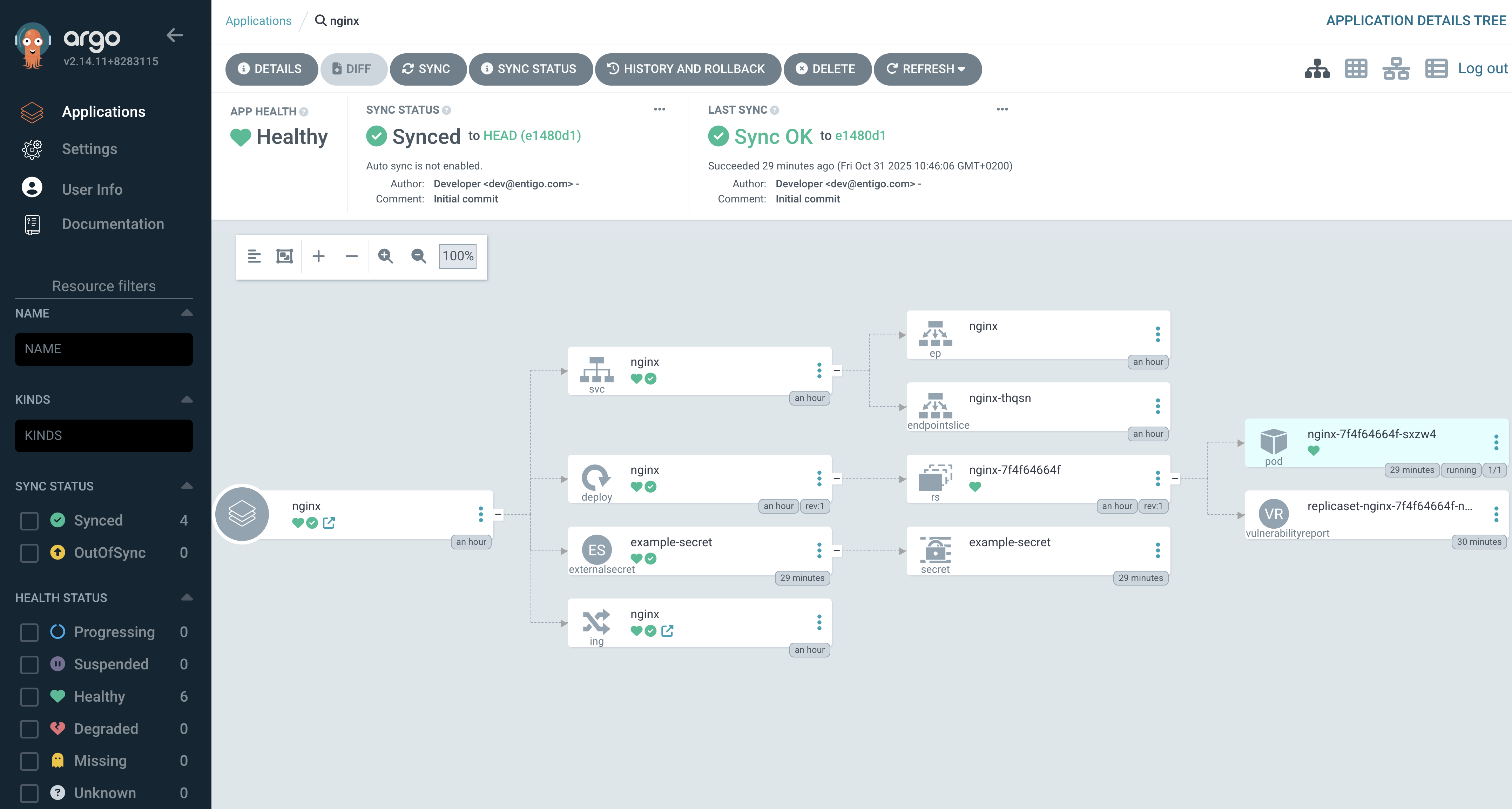
Kubernetes Secret created by External Secrets in Kubernetes
$ kubectl get secret
NAME             TYPE     DATA   AGE
example-secret   Opaque   1      10m
External Secret and Secret in ArgoCD
3. Mount a secret to a container as environment variables
# Example Deployment manifest
apiVersion: apps/v1
kind: Deployment
metadata:
  name: nginx
  labels:
    app: nginx
spec:
  replicas: 1
  selector:
    matchLabels:
      app: nginx
  template:
    metadata:
      labels:
        app: nginx
    spec:
      containers:
        - name: nginx
          image: nginx:latest
          ports:
            - containerPort: 80
          envFrom:
            - secretRef:
                name: example-secret
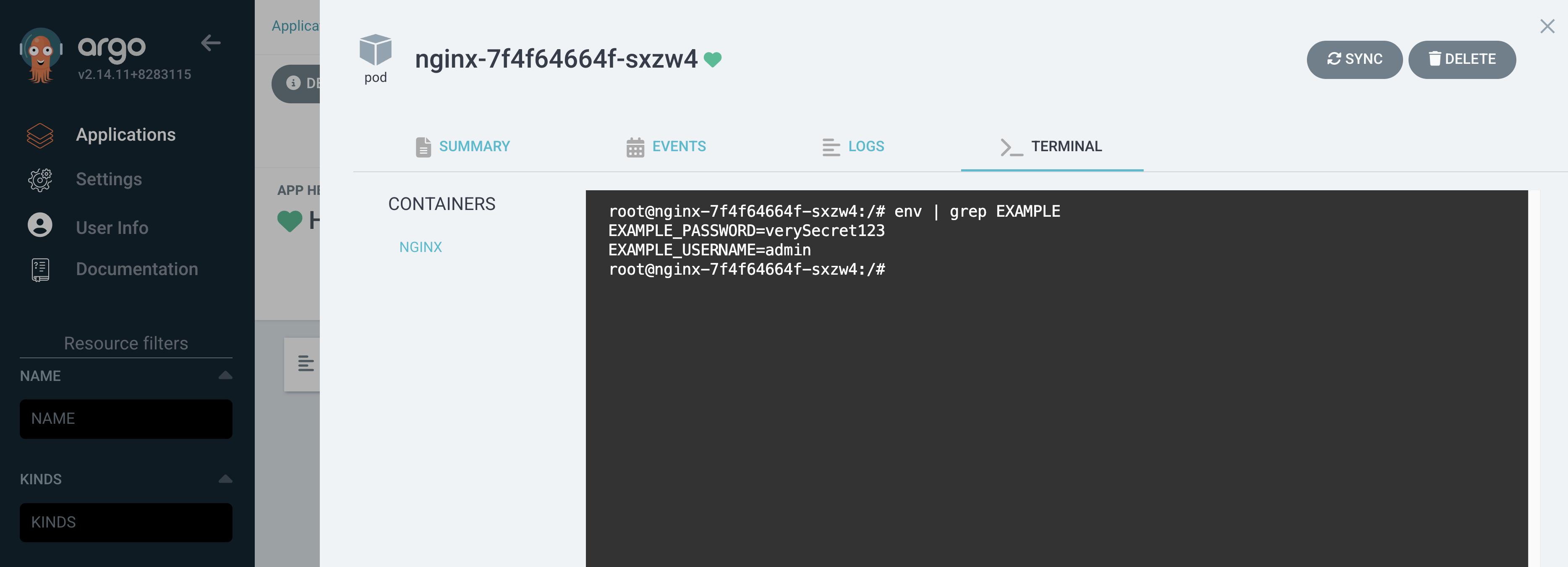
4. Result